
WBIFMS account can prevent employees from checking salary details, downloading payslips, managing financial information, and using other essential services. Login failures are commonly caused by incorrect credentials, expired passwords, repeated unsuccessful sign-in attempts, browser-related issues, security verification failures, or temporary account restrictions. Identifying the exact reason behind the problem is important because each situation requires a different recovery approach.
Using the official WBIFMS portal, confirming your login information, and keeping your registered mobile number and email up to date can help restore access more efficiently while reducing the risk of future lockouts. Understanding the available recovery options and common troubleshooting methods also helps protect account security and ensures uninterrupted access to important employee services.
Why The WBIFMS Account Gets Locked
A WBIFMS account may become inaccessible for several reasons, each aimed at protecting user data and maintaining system security. Understanding these causes helps users prevent lockouts and know the right solution. Here’s a detailed breakdown:
Multiple Incorrect Login Attempts
- WBIFMS has security measures that temporarily lock accounts if the wrong password is entered multiple times consecutively.
- This prevents unauthorized access and protects sensitive financial information.
- Users should always ensure they enter their credentials carefully to avoid this automatic lock.
Expired or Forgotten Password
- Passwords for WBIFMS accounts have expiration policies to maintain account security.
- If a password is not updated on time, the account may be locked until the user resets it via the official portal.
Inactivity Over Time
Accounts that remain inactive for long periods may be temporarily disabled. Inactive accounts are locked to reduce the risk of unauthorized access or misuse of dormant accounts.
Security Concerns or Suspicious Activity
If the system detects unusual login patterns, such as attempts from multiple devices or locations, it may lock the account as a precaution. This helps prevent fraud, data theft, and other cyber threats.
Administrative Lock by Department
- In certain cases, the WBIFMS administrators or department authorities may manually lock an account.
- This can occur for compliance reasons, auditing, or if account misuse is suspected.
Technical or System-Related Issues
- Occasionally, server maintenance or system upgrades can temporarily restrict access to accounts.
- These are usually resolved automatically once maintenance is complete.
How to Unlock WBIFMS Account
If access to your WBIFMS account is restricted, there are several reliable methods to restore it. Following the correct procedure ensures you regain access safely without compromising your account security.
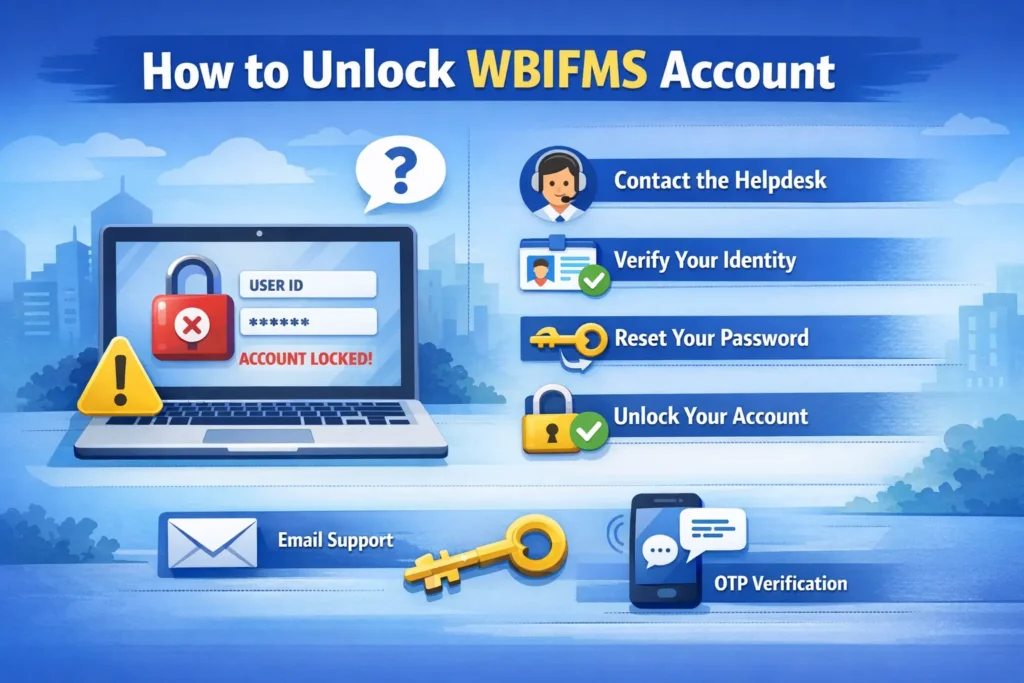
Reset Password via “Forgot Password” Option
This is the most common and fastest way to unlock a WBIFMS account.
Step-by-Step Instructions:
- Visit the official WBIFMS login portal.
- Click on the “Forgot Password” link.
- Enter your registered User ID.
- Provide the mobile number or email associated with your account.
- Verify your identity using the OTP (One-Time Password) sent to your registered number/email.
- Create a new strong password following WBIFMS password rules.
- Log in with your new credentials. The account will now be unlocked.
Contact Your DDO (Drawing and Disbursing Officer)
If the password reset option doesn’t work or your account has special restrictions, your DDO can assist.
Steps to Follow:
- Reach out to your DDO or the relevant department authority.
- Provide your User ID, department details, and registered mobile/email.
- Request the account to be unlocked from the backend system.
- Once the DDO confirms, try logging in again with your password.
Approach WBIFMS Helpdesk or Support Team
For persistent issues or technical difficulties, WBIFMS has a dedicated support system. How to Contact Support:
Navigate to the Helpdesk / Contact section on the WBIFMS portal.
Submit a request describing your issue. Include:
- User ID
- Registered mobile number/email
- Department details
- Description of the problem
The support team will verify your identity and unlock the account, often within a few hours.
Additional Tips During the Unlocking Process
- Ensure you are using a secure device and network.
- Avoid multiple failed login attempts, as this can trigger another temporary lock.
- Keep your mobile number and email updated to receive OTPs promptly.
Before You Try Unlocking Your Account
Before attempting to recover access to your WBIFMS account, perform the following checks. These simple actions can resolve many login issues without requiring a password reset or assistance from your department.
- Verify Your Login Credentials
- Check the Caps Lock and Keyboard Layout
- Confirm You Are Using the Official WBIFMS Portal
- Try the Correct Web Browser
- Clear Browser Cache and Cookies
- Check Your Internet Connection
- Disable VPN or Proxy Services
- Verify Your Registered Mobile Number and Email
- Wait If Your Account Is Temporarily Locked
- Identify the Exact Error Message
Common WBIFMS Account Lock Errors and Their Solutions
| WBIFMS Error / Issue | What It Means | Possible Cause | How to Fix It | Can You Fix It Yourself? |
|---|---|---|---|---|
| Account Locked | Your account has been temporarily or permanently locked. | Too many incorrect login attempts or a security restriction. | Wait for the temporary lock to expire, reset your password, or contact your DDO if the account remains locked. | Yes (Temporary) / No (Permanent) |
| Invalid User ID or Password | The login credentials entered are incorrect. | Wrong Employee ID, incorrect password, or typing mistakes. | Re-enter your credentials carefully, check Caps Lock, and use the Forgot Password option if needed. | Yes |
| Too Many Failed Login Attempts | The system has blocked further login attempts. | Multiple unsuccessful password entries. | Wait for the lock period to end before trying again or reset your password immediately. | Yes |
| Forgot Password | You cannot remember your WBIFMS password. | Password forgotten or expired. | Use the official password recovery option and create a strong new password after verification. | Yes |
| OTP Not Received | Verification code is not arriving. | Mobile network issues, outdated registered number, or server delay. | Wait a few minutes, request a new OTP, verify your registered mobile number, or contact your department. | Yes |
| Password Reset Link Not Working | The reset link has expired or become invalid. | Expired email link or multiple reset requests. | Generate a new password reset request and use the latest email or SMS link. | Yes |
| Session Expired | Your login session has timed out. | Long inactivity or browser session timeout. | Refresh the page, log in again, and avoid leaving the portal idle for extended periods. | Yes |
| User Not Found | The entered Employee ID cannot be verified. | Incorrect Employee ID or inactive employee account. | Verify your Employee ID with your department before trying again. | Partially |
| Access Denied | You don’t have permission to access the requested module. | Role restrictions or insufficient account permissions. | Contact your department administrator or DDO to update your user permissions. | No |
| Browser Compatibility Issue | The portal does not load or behaves unexpectedly. | Unsupported browser, outdated version, or cached files. | Update your browser, clear cache and cookies, or try Chrome, Edge, or Firefox. | Yes |
| Website Not Loading | The WBIFMS portal is unavailable. | Server maintenance, heavy traffic, or internet connectivity issues. | Check your internet connection and try accessing the portal again after some time. | Yes |
| Server Error (500/503) | The server cannot process your request. | Scheduled maintenance or temporary server failure. | Wait until the WBIFMS server is restored and try logging in later. | ❌ No |
| Account Disabled by Department | Your account has been manually restricted. | Departmental security action or employment status changes. | Contact your DDO or department administrator to reactivate the account. | No |
| Password Expired | Your current password is no longer valid. | Password validity period has ended. | Change your password immediately using the official password update process. | Yes |
| Security Verification Failed | Identity verification could not be completed. | Incorrect OTP, verification timeout, or mismatched account details. | Restart the verification process and ensure all account information is entered correctly. | Yes |
Tips To Avoid Account Lock-In In The Future
To ensure uninterrupted access to your WBIFMS account, follow these preventive measures:
- Use Correct Login Credentials: Double-check your Employee ID and password before signing in to avoid repeated failed login attempts that could temporarily lock your account.
- Create a Strong Password: Use a unique password containing uppercase and lowercase letters, numbers, and special characters instead of predictable or commonly used passwords.
- Update Your Password Regularly: Change your password periodically to improve account security and reduce the chances of unauthorized access or password expiration.
- Keep Contact Information Updated: Ensure your registered mobile number and email address are accurate so you can receive OTPs, password reset links, and security notifications without interruption.
- Avoid Repeated Login Attempts: If you cannot remember your password, stop entering random passwords and use the password recovery option instead of making multiple unsuccessful attempts.
- Access Only the Official WBIFMS Portal: Always sign in through the official website to protect your account from phishing websites and fraudulent login pages.
- Clear Browser Cache and Cookies: Remove outdated cache and cookies if you experience unexpected login issues, authentication errors, or page loading problems.
- Use an Updated Web Browser: Access WBIFMS using the latest version of Chrome, Edge, Firefox, or another supported browser for improved security and compatibility.
- Log Out After Each Session: Sign out of your account after completing your work, especially when using a shared or public computer, to prevent unauthorized access.
- Protect Your Login Credentials: Never share your password, OTP, or account recovery information with anyone to maintain the security of your WBIFMS account.
- Monitor Account Activity: Pay attention to unusual login attempts or unexpected account changes and update your password immediately if you notice suspicious activity.
Conclusion
Restoring access to a WBIFMS account becomes much easier once the actual cause of the lock is identified. Whether the issue is related to incorrect login credentials, an expired password, repeated failed sign-in attempts, security verification, or system restrictions, choosing the appropriate recovery method can help resolve the problem efficiently. In situations where self-service options are unavailable, contacting the designated DDO or the official WBIFMS support team can ensure secure account recovery.
To minimize future login issues, users should regularly update their registered contact details, create strong and unique passwords, avoid repeated unsuccessful login attempts, and access the portal only through the official website. Following these best practices improves account security, reduces the likelihood of future lockouts, and ensures uninterrupted access to salary information, financial records, bill management, and other essential WBIFMS services.
Pingback: Why is WBIFMS Important?
https://shorturl.fm/T4tvV
https://shorturl.fm/O0UTN
Pingback: toradol pain relief mechanism
Pingback: ivermectin rosacea study
Pingback: minoxidil men’s performance
Pingback: minoxidil peak timeline
Pingback: medical review best practices
Pingback: amoxicillin pharmacological overview
Pingback: Food Impact Resource
Pingback: Sildenafil vs Levitra Cmax Onset
Pingback: Brand vs Generic Cost Overview
Pingback: sildenafilcentral.com
Pingback: how sildenafil affects cGMP
Helpful walkthrough on why a WBIFMS account gets locked. The point about repeated wrong-password attempts triggering a temporary lock, and keeping your registered mobile number and email up to date, is something many employees overlook. I’m the author of iLoveAIImg, an AI image editor that is handy if you want to tidy up screenshots or step-by-step images for guides like this.